
For participants
The mobile event experience
- Event home, programme and personal schedule
- Speakers, team, venue and event information
- Messaging, meetings, forums and notifications
- RSVP, evaluations, challenges and QR check-in
by Aylukha Technologies
Everything you need to run better events.
A mobile app for participants and a web dashboard for organisers, connected to the same event.
Participant app available now on


One event, two connected experiences
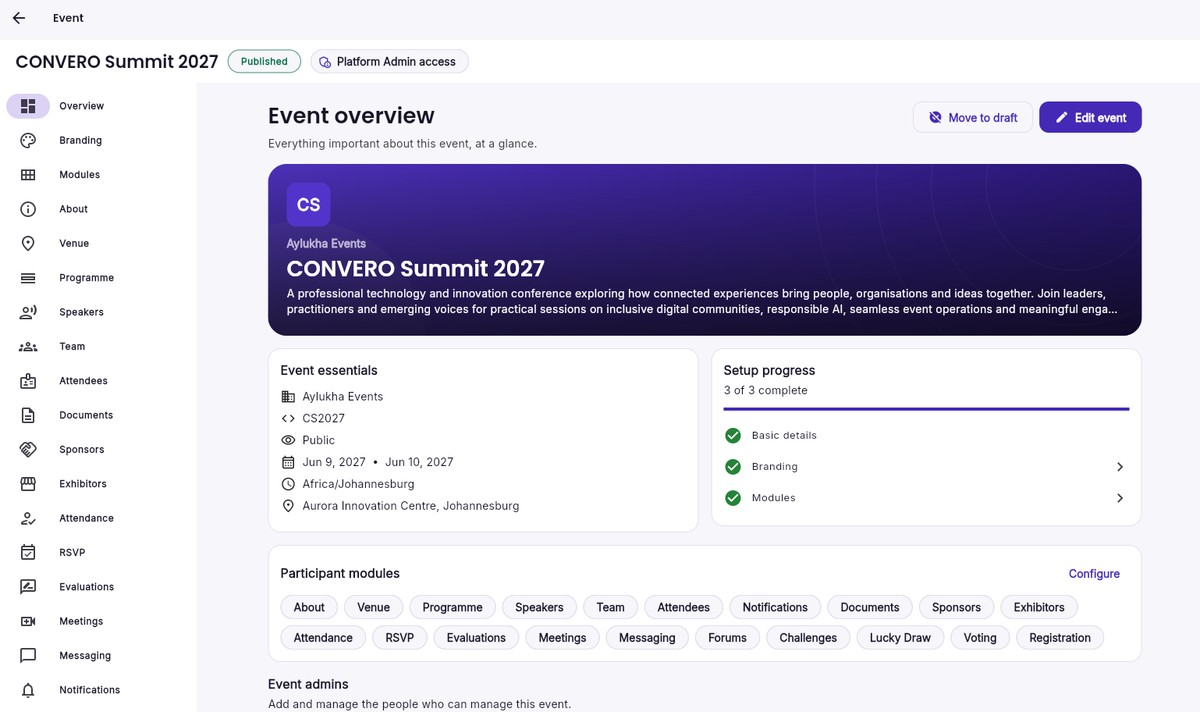
Organisers plan and run the event in the CONVERO dashboard. Participants experience that same event in the CONVERO app. What the event team sets up is what participants see.
For participants
For organisers
For participants
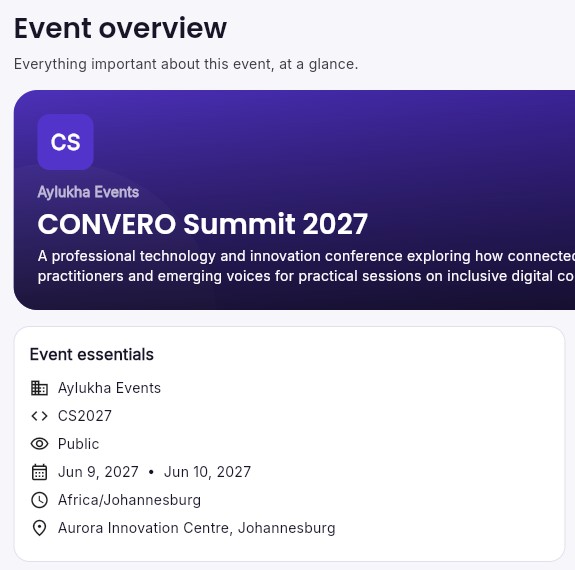
CONVERO gives participants a clear path through an event: find it, join it, plan their programme and get to know the people contributing.

Find a published event, check its dates, venue and description, and join it from the app.

Browse sessions day by day, with times, rooms and presenters, and star the ones you want in My Programme.

Explore speakers and their profiles, alongside the team, venue and other information the event team enables.


Connect & engage
Participants connect with each other and take part in the event from the same app. Each module is switched on by the event team, so every event offers what suits it.
See who is attending and reach out. Appearing in the directory is each participant's choice.
Private one-to-one conversations between participants, within settings the organiser manages.
Request one-to-one meetings and accept, decline or propose a new time.
Event discussions through topics and comments, moderated by the event team.
Announcements from the organiser in the app feed and as push notifications.
Reply Going, Maybe or Not going to optional activities such as dinners and receptions.
Rate the event and its sessions and leave comments for the organisers.
Quizzes, photo challenges and scavenger-hunt style activities set up by organisers.
For organisers
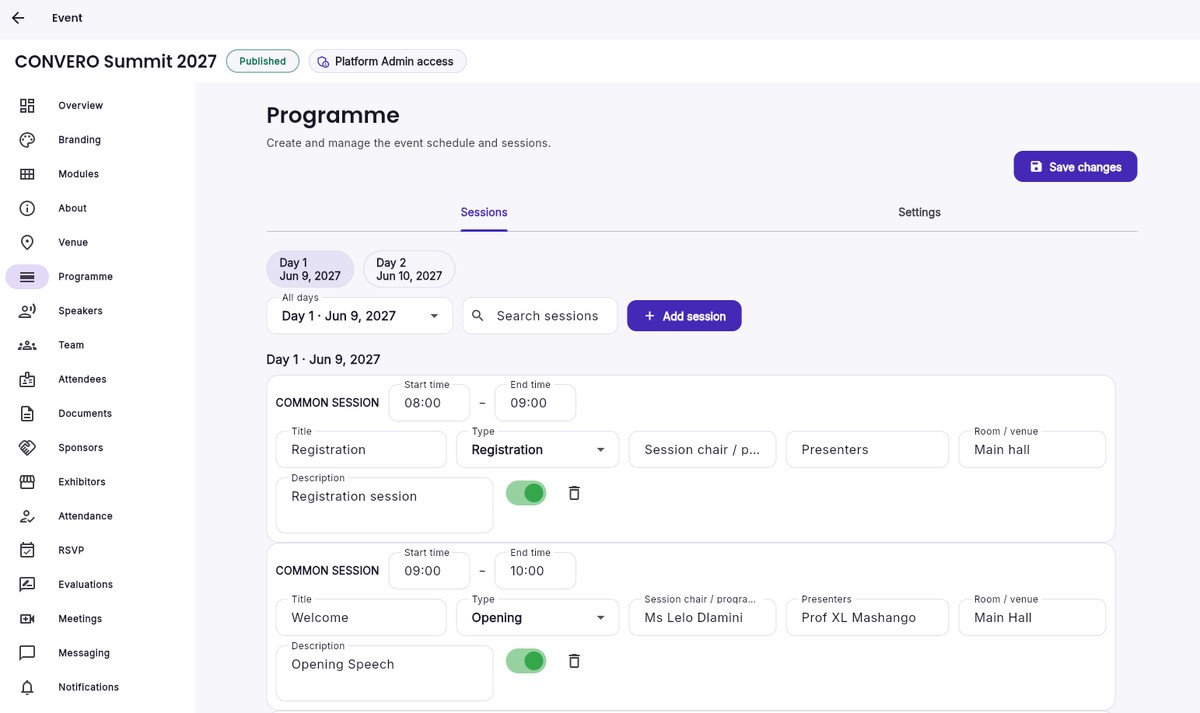
The CONVERO dashboard is where event teams set up, manage and operate their event. The sessions you build here are the programme participants browse in the app.
Create an event with its dates, timezone, venue and visibility, then apply a logo, banner and accent colour.
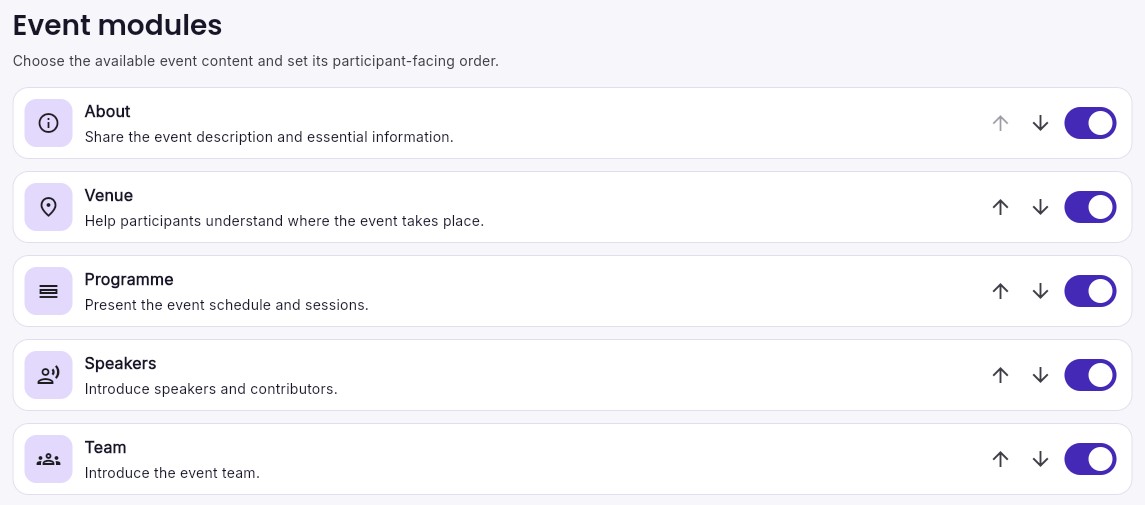
Switch modules on or off and set the order they appear in the participant app.
Build sessions day by day and manage speakers, team, about and venue information, documents, sponsors and exhibitors.
Send announcements to all participants or selected participants, and moderate event forums.
Configure RSVP items, evaluations, meetings and challenges, and follow responses as they come in.
Manage attendance registers, checkpoints, scanner PINs and external participant badges.
Already running an event with CONVERO? Organiser login
Attendance & QR badges
QR check-in works for participants using the app and for guests who don't, with organisers managing attendance from the dashboard.


Participants present their CONVERO QR pass on arrival, or scan a checkpoint code to check themselves in.
Authorised event staff enter a scanner PIN from the organiser to check people in with the camera. Scanner access applies to that event only and is time-limited.


Where it fits
The same participant app and organiser dashboard support a range of organised events. Organisers choose the modules that suit each one.
Privacy & languages
The participant app is available in English, French, Spanish and Portuguese, selectable from the app.
Participants decide whether they appear in the attendee directory. The app's Account & Legal area links to the Privacy Policy and Terms of Use, and lets participants request account and data deletion.
For participants
Your organiser will share how to find and join your event.
For organisers
See how the participant app and organiser dashboard work together for your event.